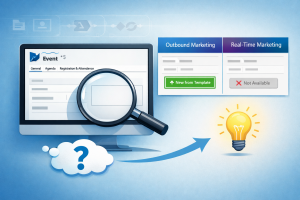
I opened an event form in Dynamics 365 Customer Insights – Journeys last week expecting to use the “New from Template” button, and it wasn’t there. Not hidden in a submenu. Not moved to a different ribbon location. Just gone.
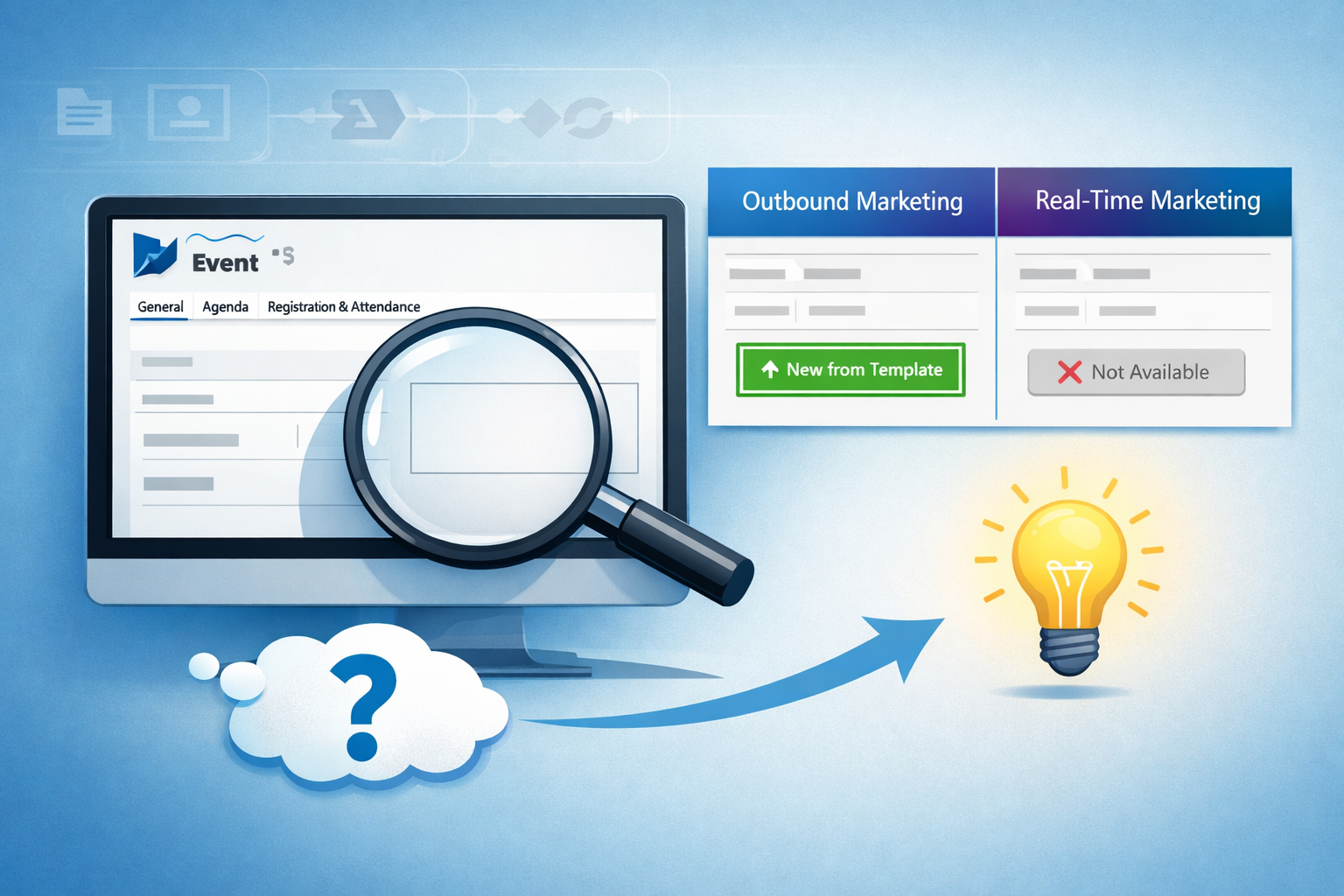
Before you troubleshoot permissions or clear your browser cache, here’s what’s actually happening: the button only appears for outbound marketing (OBM) events. If you’re working with real-time marketing (RTM) events, event templates aren’t supported—period.
You’ll learn:
- Why the button disappears for RTM events (confirmed by Microsoft documentation)
- How to verify which event type you’re working with
- What actually works as alternatives (honest tradeoffs included)
TL;DR
- Problem: “New from Template” button missing on event forms in real-time marketing
- Root cause: Event templates only work with outbound marketing events, not RTM events
- Confirmed: Microsoft documentation states this is a known limitation
- What works: Continue using OBM if templates are critical, or use “Save as” to duplicate existing events
- Tradeoff: You lose template efficiency but gain RTM’s improved journey orchestration
- Last verified: January 15, 2026
What I Observed
Environment: Dynamics 365 Customer Insights – Journeys with both OBM and RTM enabled
What I was trying to do: Create a new webinar event in real-time marketing using an existing event template structure
What actually happened:
- Opened an RTM event form
- Looked for “New from Template” on the ribbon
- Button completely absent
- Opened an OBM event form to compare
- Button present and functional on OBM events
Why it mattered: I needed to replicate a standard event structure across multiple campaigns. Without templates, each event requires manual configuration of all fields, sessions, and settings.
How to Verify What You’re Seeing
If you’re not sure whether you’re experiencing this same limitation:
Step 1: Check your event type
- Open your event record
- Look at the form—RTM events use a different form layout than OBM events
- RTM events integrate with “journeys” while OBM events integrate with “customer journeys”
Step 2: Compare with an OBM event
- Create or open an outbound marketing event
- Check the ribbon for “New from Template”
- The button appears on OBM events but not RTM events
Step 3: Confirm in documentation
- Review Microsoft’s transition guide
- Section on “Other relevant features” explicitly lists event templates as having no published roadmap
Why This Limitation Exists
According to Microsoft’s documentation, event templates don’t have a published roadmap for real-time journeys. This isn’t a bug or temporary gap—it’s documented as a feature without current development plans.
Microsoft’s exact statement from the documentation:
“Event templates: We don’t have a published roadmap for this capability. Create an event that you use as a starting point. Then use the Save as functionality to create copies of the event that you can then edit and customize for your needs.”
Source: Transition events from outbound marketing to real-time journeys – Microsoft Learn, under “Other relevant features” section
Microsoft has not provided architectural details on why templates weren’t implemented for RTM, but the documentation confirms this is current product design with no timeline for change.
What Actually Works
Since templates don’t exist for RTM events, here are the realistic options:
Option 1: Continue Using Outbound Marketing
If event templates are mission-critical to your workflow, stay on OBM for event management.
Tradeoff: You keep template functionality but can’t use RTM’s improved journey orchestration and analytics for those events.
When this makes sense: Organizations running high-volume events (50+ per month) where template efficiency outweighs RTM benefits.
Option 2: Use “Save As” Functionality
Microsoft’s documented workaround is to create a reference event and use “Save as” to duplicate it.
How it works:
- Create your first event with full configuration
- Click “Save as” to create a copy
- Edit the copy for your new event
Tradeoff: This creates a copy, not a true template. You’ll need to manually clean up or modify event-specific details each time.
When this makes sense: When you have a few standard event types and can maintain reference events.
Option 3: Manual Event Creation in RTM
Create each RTM event from scratch, manually configuring all fields and settings.
Tradeoff: More time per event, but you get RTM’s full feature set.
When this makes sense: Low-volume events (fewer than 10 per month) where manual setup time is acceptable.
Option 4: Document Standard Configurations
Create written documentation of your standard event structures—field values, session layouts, naming conventions—and have users reference it when creating events.
What I haven’t tested: Power Automate flows to auto-populate fields, custom Power Apps for guided event creation, or solution-based configuration packages. I’m not recommending approaches I haven’t personally verified.
Common Troubleshooting Mistakes
“The button must be hidden somewhere”
- It’s not. RTM events don’t have this functionality at all.
“Maybe it’s a permissions issue”
- It’s not. Even system administrators don’t see the button on RTM events because it doesn’t exist.
“I’ll just copy an OBM event and change it to RTM”
- OBM and RTM events use different data models. Simple field changes won’t properly convert between them.
What I Learned
Always verify feature parity before planning migrations. I assumed template functionality would carry over from OBM to RTM. Microsoft’s documentation clearly states it doesn’t, but I didn’t check before making plans.
Document limitations for stakeholders upfront. If templates are part of your current workflow, factor in the operational impact of losing them when evaluating RTM migration.
Don’t promise features without checking current docs. Product capabilities change. What worked in OBM doesn’t automatically work in RTM.
Official Documentation
- Transition events from outbound marketing to real-time journeys – Confirms event templates have no published roadmap in RTM
- Real-time journeys overview – Overview of RTM capabilities
- Transition overview – General transition guidance from OBM to RTM
Last verified: January 15, 2026
Bottom Line
The “New from Template” button doesn’t exist for real-time marketing events because Microsoft hasn’t implemented event template functionality in RTM and has no published roadmap for adding it. This is documented behavior, not a bug.
Your realistic options: stay on OBM if templates are critical, use the “Save as” workaround Microsoft recommends, accept manual event creation in RTM, or build your own standardization processes outside the platform.
There’s no workaround that replicates native template functionality. You’re choosing between template efficiency (OBM) or RTM’s improved capabilities—you can’t have both right now.