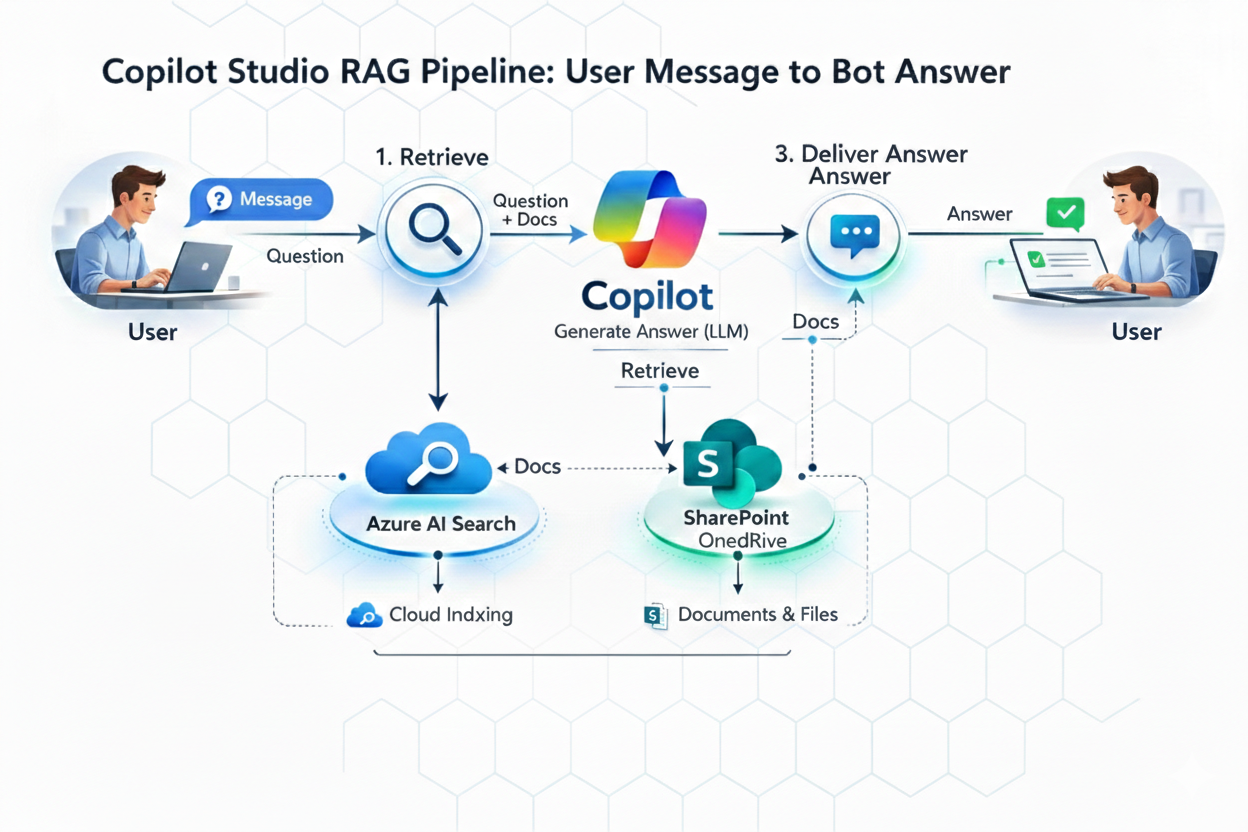
Ever wondered why a Copilot Studio agent replies “no information found” — even though the document exists? Or why the same question behaves differently across knowledge sources? I mapped the full Copilot Studio RAG pipeline so you can actually troubleshoot it. Here’s what Microsoft documents and what it means in practice.
You’ll Learn
- A practical 7-step mental model of the runtime (mapped to Microsoft’s documented 4-stage flow)
- Why query optimization uses your last 10 conversation turns — and why that matters
- How SharePoint security trimming is enforced at retrieval, and what that means for your architecture
- Why Azure AI Search has no security trimming by the platform — and why that shifts responsibility to you
- The SharePoint transcript caveat that will wreck your debugging if you don’t know about it
TL;DR (Featured Snippet)
| What | Detail |
|---|---|
| Microsoft’s documented flow | Query rewriting → Retrieval → Summarization → Safety & governance |
| Practical sub-steps | Moderate → Rewrite → Retrieve → Summarize → Validate grounding → Moderate → Deliver |
| Results per source | Top 3 per knowledge source |
| Query rewrite context | Last 10 conversation turns |
| State store TTL | < 30 days, not used for training |
| SharePoint retrieval | Delegated user auth + security trimming enforced |
| Azure AI Search retrieval | No delegated user auth, no security trimming by platform |
| SharePoint + transcripts | ⚠️ SharePoint-based responses aren’t included in conversation transcripts |
| Docs | RAG overview · Public web guardrails · SharePoint knowledge source |
The Copilot Studio RAG Scenario
Environment: M365 tenant, Copilot Studio agent with SharePoint + Azure AI Search knowledge sources
Goal: Internal support Agent surfacing HR policy docs — some restricted, some public. Simple enough.
What broke: Users with limited SharePoint permissions got “I couldn’t find any information” — for docs that should have been accessible. Meanwhile a second Agent using Azure AI Search returned results fine. When I went to check the Dataverse transcripts to debug the SharePoint Agent, half the answers weren’t even there.
Two different problems. Both came down to architecture decisions I didn’t fully understand. Once I mapped the full pipeline step by step against the actual Microsoft docs, everything clicked.
The Full Copilot Studio RAG Pipeline (7 Sub-Steps)
Microsoft documents the RAG flow as 4 stages: query rewriting → retrieval → summarization → safety and governance. The 7 sub-steps below are a practical mental model of what happens inside that runtime not a separate Microsoft-documented list, but a useful way to reason about where things can go wrong.
Step 1: Input Moderation
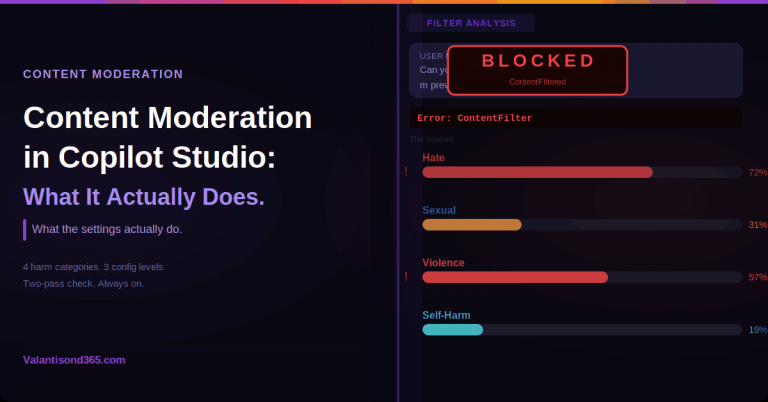
Before retrieval or generation happens, Copilot Studio applies safety guardrails to the incoming user message. Microsoft’s public-web RAG guardrails describe moderation and validation layers running at user input and explicitly confirm that checks happen at user input and again before response delivery.
The practical implication: if moderation detects harmful, offensive, or malicious content, Copilot Studio can prevent the agent from responding entirely. If a query seems to disappear without a proper answer, input moderation is the first thing to check.
Step 2: Query Optimization
Copilot Studio doesn’t search with the raw user text. Microsoft documents that it rewrites the query before retrieval, using contextual signals including up to 10 turns of conversation history.
This is why mid-conversation responses often improve. When a user asks “what about the exceptions?” on turn 6, the pipeline rewrites that into something meaningful using the prior turns. First-turn queries have nothing to rewrite with; later turns do.
Step 3: Information Retrieval
The rewritten query goes out to your configured knowledge sources. Microsoft lists the built-in source types as public web (Bing), SharePoint/OneDrive, Microsoft Graph and Graph connectors, Dataverse, and Azure AI Search.
The constraint that trips people up most: Microsoft states Copilot Studio retrieves the top 3 results per source. Not 10. Three. If the right document doesn’t land in the top 3 for that query against that source, it won’t be summarized — even if it exists and is indexed.
This is also where SharePoint security trimming runs. Copilot Studio uses delegated user authentication when querying SharePoint. Results are filtered by what that specific user can access. If a user doesn’t have permissions to a document, it won’t appear in their results — full stop. This is by design, not a bug.
Step 4: Summarization
The retrieved snippets are synthesized into a user-facing answer. Citations and links may be included depending on the source and your configuration. Your agent’s tone, format, and brevity instructions influence this step — the summarizer applies those settings when composing the response.
Step 5: Provenance Validation
Before anything reaches the user, Microsoft describes guardrails including grounding checks, provenance checks, and semantic similarity checks to keep responses aligned to the retrieved source content.
Microsoft documents these guardrails as “grounding validation and removal of incorrect information” — meaning a response can be modified or withheld before delivery if it doesn’t hold up against the retrieved sources. Because this validation happens inside the safety/governance stage, it’s worth checking there when troubleshooting unexpected “no information found” outcomes.
Step 6: Output Moderation
The same safety guardrails from Step 1 run again on the generated answer. Microsoft explicitly documents this — checks happen at input and again before delivery. A clean input doesn’t guarantee the generated output passes moderation.
Step 7: Response Delivery
After validation and both moderation passes, the answer is returned to the user through the channel — Teams, web chat, or wherever you’ve published.
SharePoint “No Info Found” Is Usually Security Trimming — And That’s Intentional
Microsoft explicitly documents that SharePoint retrieval uses delegated user authentication and enforces security trimming. The Agent surfaces documents based on what the requesting user can access — not what a service account or Agent identity can access.
A Copilot Studio Agent using SharePoint as its knowledge source cannot surface restricted documents to users who don’t have SharePoint permissions. If your requirement is that certain content be available to everyone regardless of individual access, SharePoint knowledge sources won’t meet that requirement without changing the underlying permissions model.
This is the design. It exists to prevent data leakage. You can work with it or around it, but you can’t configure it away.
Azure AI Search: A Different Model Entirely
When using Azure AI Search as a knowledge source, Copilot Studio does not apply delegated user authentication or security trimming. This is Microsoft’s documented behavior.
What this does not mean: security disappears. What it does mean: the platform won’t apply per-user access control for you. If you need to restrict which users can surface which indexed content, you have to design that yourself — through index filtering, separate indexes per audience, metadata-based security, or app-side authorization logic.
This is the right pattern when restricted content needs to be surfaced broadly (e.g., company-wide policies that live in a SharePoint library not everyone has explicit access to). But it comes with architectural responsibility that SharePoint knowledge sources carry for you automatically.
The SharePoint Transcript Caveat is a common gotcha
Here’s what I wish someone had told me earlier: Microsoft explicitly documents that agent responses using SharePoint as a knowledge source aren’t included in conversation transcripts.
So if you’re debugging a SharePoint-backed Agent by looking at Dataverse transcripts, you may be looking at incomplete data. The conversations happened, the answers were given — they just may not have been written to the ConversationTranscript table.
For any production Agent using SharePoint knowledge sources, connect Application Insights from day one. Don’t build your observability strategy around transcripts alone.
Where Your Data Actually Goes
Conversation State Store is short-term runtime memory — what makes query optimization work across turns. Microsoft documents this as less than 30 days retention and explicitly not used for model training. Important compliance note for regulated industries.
Dataverse (ConversationTranscript table) is where transcripts are stored when enabled. Admin controls cover whether it’s on, who can view it, and retention period. Note the SharePoint caveat above — don’t assume transcripts are complete if SharePoint is a knowledge source.
Azure Application Insights is optional telemetry you connect yourself. Microsoft documents support for message/event capture, topic execution data, and custom telemetry events. For enterprise deployments, this is your operational monitoring layer — separate from and complementary to Dataverse transcripts.
Knowledge Source Comparison
| Knowledge Source | Access Model | Freshness | Notes |
|---|---|---|---|
| SharePoint / OneDrive | Delegated user auth + security trimming | Live / near-live (depends on indexing) | Users only see docs they can access |
| Public web (Bing) | Public internet | Live | Works well when citations matter |
| Microsoft Graph / connectors | User context / connector rules | Live / near-live (depends on connector and source) | Depends on connector and tenant config |
| Dataverse | Role-based security | Live | Good for structured records |
| Azure AI Search | No delegated auth, no platform trimming | Indexed | You design your own access control |
Troubleshooting Checklist
“No information found” but the document exists
Start with permissions: does the user have SharePoint access to that document? If not, security trimming is working as designed. Then check whether you’re hitting the top-3 results ceiling, is the right document ranking in the top 3 for that query? Finally, check indexing: is the content discoverable, is the file format supported, is there an indexing lag?
“Same question gives different answers”
Query rewriting uses up to 10 turns of conversation context, so the same surface-level question can produce different retrieval queries at different points in a conversation. Retrieval results also vary when sources return different top-3 matches. And provenance validation may block a response if grounding isn’t strong enough against the retrieved snippets.
“Transcripts don’t show what the Agent said”
If SharePoint is your knowledge source, this is documented behavior, those responses may not appear in Dataverse transcripts. Verify with Application Insights telemetry rather than the transcript table alone.
“Entra Agent ID configured but knowledge retrieval still fails”
Agent ID provides your Agent with an identity for actions — API calls, writing to external systems, authenticating outbound connections. It has no effect on knowledge source retrieval. Retrieval uses user context (SharePoint) or no user context (Azure AI Search). These are separate architectural paths and Agent ID doesn’t touch them.
8 Copilot Studio RAG Rules I Learned
- Ask before you design: does the Agent need to surface docs users can’t individually access? That question determines your knowledge source architecture. If yes — SharePoint won’t work without permission changes.
- The top-3 ceiling is real. Five knowledge sources = at most 15 snippets going to summarization. Design your source taxonomy and document organization with that in mind.
- Mid-conversation is smarter. Query rewriting has more context after a few turns. If early responses seem weak, it’s not always a source quality problem.
- Moderation runs twice. Both input and output gates have to pass. Don’t try to work around input moderation without understanding output is also filtered.
- Enable App Insights before go-live. Especially with SharePoint knowledge sources, where transcripts may be incomplete. Retroactive enablement means you’ve already lost the history you needed.
- Dataverse transcripts ≠ complete conversation record for SharePoint-backed Agents. Document this explicitly for clients and stakeholders.
- State store is not training data. Less than 30 days, explicitly not used for training. Cite the docs in every compliance conversation.
- Azure AI Search access control is your responsibility. Switching away from SharePoint to bypass security trimming — and forgetting to build your own access model — creates data leakage risk. Don’t trade a limitation for a vulnerability.
Microsoft Documentation
- RAG Architecture in Copilot Studio ← 4-stage pipeline, top-3 per source, 10-turn rewrite, state store < 30 days
- Public Web RAG Guardrails ← moderation/validation layers, input + output checks, “checked twice”
- SharePoint Knowledge Source ← security trimming + transcript caveat
- Entra Agent ID Known Issues ← Agent IDs not used for connector/tool auth in Copilot Studio
- Transcript Controls ← retention, access, admin settings
- ConversationTranscript Table ← Dataverse transcript analysis
- Application Insights Telemetry ← telemetry events and custom instrumentation
Bottom Line
Security trimming on SharePoint is a feature, not a limitation to work around. The top-3 ceiling is a real design constraint worth building your source taxonomy around. Azure AI Search removes platform-enforced trimming but transfers access control responsibility to you. And if you’re running SharePoint knowledge sources, verify what your transcripts actually capture before you build your entire debugging workflow around them.
What’s your biggest Copilot Studio RAG gotcha in production? Drop it in the comments.