
Post 1: Foundations, Trust, and Prerequisites
What security and compliance leads need to verify before you scale Copilot
Why this post matters
If you are about to tell a client that Microsoft 365 Copilot is safe to deploy, you need to be able to answer three questions before that meeting:
- Where does tenant data actually go when a user runs a prompt?
- What gets logged, and where do you find it?
- Which Purview controls already cover Copilot, and which ones need extra licensing before they do anything useful?
This post answers all three. It is the foundation layer for the rest of this governance series. Nothing in later posts about DLP, sensitivity labels, or eDiscovery makes sense until you understand the trust model underneath it.
Audience: Microsoft 365 consultants, tenant admins, security architects, compliance officers, and project sponsors evaluating or deploying Copilot.
Licensing and prerequisites
None of the governance configuration in this series matters if the right licences are not in place first. Check these in the Microsoft 365 admin centre under Billing > Licences before you do anything else.
| Requirement | Where to verify | Notes |
| Microsoft 365 Copilot licence (per pilot user) | M365 Admin > Billing > Licences | Requires an eligible M365 E3/E5, Business Standard, or Business Premium base licence. |
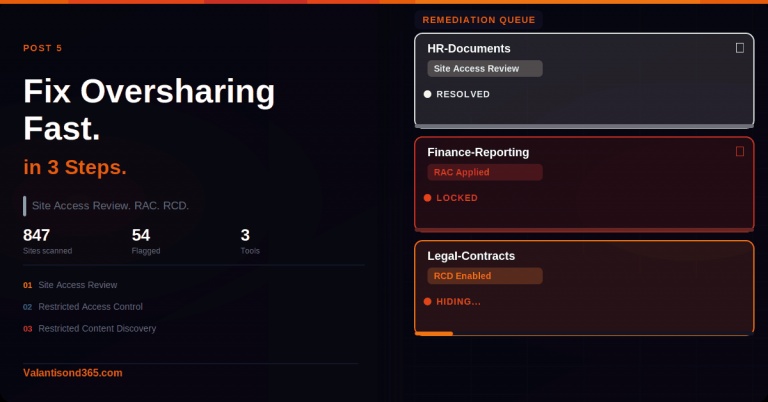
| SharePoint Advanced Management (SAM) add-on | SharePoint Admin > Policies | Required for Data Access Governance (DAG) reports, Restricted Access Control (RAC), and Restricted Content Discovery (RCD). Without this, you cannot limit what Copilot surfaces from overshared SharePoint content. |
| Microsoft Purview A3/E3 | Purview portal > Settings | Foundational controls: manual sensitivity labels, basic DLP, retention, eDiscovery Standard, 90-day Audit retention. |
| Microsoft Purview A5/E5 | Purview portal > Settings | Optimised controls: auto-labelling, DLP at scale, Communication Compliance, Compliance Manager, extended Audit retention (1-year + 10-year add-on), DSPM for AI / AI views. |
| Licensing guidance changes. Always verify. The table above reflects documented thresholds as of March 2026. Check the live Microsoft 365 licensing guidance for security and compliance page (linked in References) before quoting SKUs to a client. |
What you will be able to do after reading this
- Explain Copilot’s trust model to executives and legal teams, with primary source links rather than your own paraphrasing.
- Find and run a basic Copilot audit search in Microsoft Purview before your pilot users go live.
- Know which Purview workloads apply to Copilot activity and which licence tier each one actually requires.
- Understand the key distinction between what the Audit log captures and what requires eDiscovery.
TL;DR
| Topic | The short version |
| Trust model | Copilot runs inside your Microsoft 365 boundary and only surfaces content the user already has permission to see via Microsoft Graph. |
| Training / data sale | Prompts, responses, and data retrieved via Graph are not used to train foundation models. Microsoft does not sell tenant data. Source: Microsoft Learn privacy page (linked in References). |
| User feedback nuance | Optional user feedback (thumbs up/down) can be used to improve the product. This is separate from the no-training-on-tenant-data commitment. Admins can disable feedback collection. |
| Audit logs | Copilot Interaction events in the Unified Audit Log capture metadata: timestamp, user, app, accessed resources, sensitivity label IDs. They do not include prompt or response text. For content, use eDiscovery. |
| Purview workloads | Information Protection, DLP, Data Lifecycle, eDiscovery, Audit, and DSPM for AI all apply to Copilot. E3 covers the basics. E5 is needed for full effectiveness across most workloads. |
| Last verified | March 2026. All sources listed in References. |
Part 1: The Trust Model
How Microsoft 365 Copilot handles your data
Before walking through the individual commitments, one thing worth saying plainly: the claims in this section are not my interpretation. They come directly from Microsoft’s published documentation. I have linked every source. If a client asks you to prove something, point them to the page, not to this post.
Copilot stays inside your Microsoft 365 boundary
When a user runs a prompt, Copilot uses Microsoft Graph to retrieve content. The permissions model in your tenant controls what it can reach. If a user does not have access to a SharePoint site, Copilot will not surface content from that site in their responses. This is not a feature you configure separately. It is how Graph permissions work by default.
The prompt, the data it retrieves, and the generated response all stay within the Microsoft 365 service boundary. Copilot uses Azure OpenAI for processing, not OpenAI’s public services. Azure OpenAI does not cache customer content.
| Confirmed as: documented behaviour. Source: ‘Data, Privacy, and Security for Microsoft 365 Copilot’ on Microsoft Learn (linked in References), section ‘How does Microsoft 365 Copilot use your proprietary organizational data?’ |
Prompts are not used to train foundation models
This is the question that comes up in every governance briefing. The Microsoft Learn page states it clearly: prompts, responses, and data accessed through Microsoft Graph are not used to train foundation LLMs, including those used by Microsoft 365 Copilot. That commitment appears twice on the page, once in the opening Important block and once in the body section on data storage.
One nuance worth knowing about: optional user feedback, the thumbs up or down in Copilot experiences, can be used to improve the product. This is separate from the no-training-on-tenant-data commitment. Admins can manage feedback collection via the Microsoft 365 admin centre. If a client needs feedback collection disabled, that is a separate admin step from the licence and governance setup.
| Confirmed as: documented commitment. Source: same Microsoft Learn privacy page. Feedback controls documented at: ‘Manage Microsoft feedback for your organization’ (linked in References). |
Existing compliance commitments extend to Copilot
Copilot inherits the privacy, security, and compliance commitments that already cover Microsoft 365 commercial customers. That includes GDPR and the EU Data Boundary for EU customers. The data processing agreements and regional data residency settings you have already configured continue to apply.
| Note for consultants: If a client has EU data residency configured, Copilot activity is covered by the same EU Data Boundary that governs the rest of their M365 workloads. Verify the client’s specific residency configuration in the Microsoft 365 admin centre before making any statements about data location in a briefing. |
Sensitivity-labelled content is honoured
When content in the tenant is encrypted via Microsoft Purview Information Protection, Copilot honours the usage rights granted to the user. If a document is labelled and encrypted so that only specific people can read it, Copilot will not surface its contents to someone outside that permission scope. This is how sensitivity labels interact with Copilot’s Graph-based retrieval, and it is why label coverage matters before you scale Copilot broadly.
| Confirmed as: documented behaviour. Source: ‘How does Microsoft 365 Copilot protect organizational data?’ section of the Microsoft Learn privacy page (linked in References). |
Part 2: Governance Touchpoints in Microsoft Purview
How the Purview workloads map to Copilot
Microsoft Purview is not one product. It is a set of separate solutions that each do something different. The table below maps each one to what it actually controls in the context of Copilot, so you can have a factual conversation with a client about what their current licence covers and what it does not.
| Purview workload | What it does for Copilot | Minimum licence |
| Information Protection | Sensitivity labels on content Copilot accesses. If a file has a label, that label is recorded in the CopilotInteraction audit event. Copilot honours label-based encryption when retrieving content. | Manual labels: E3. Auto-labelling: E5. |
| Data Loss Prevention (DLP) | Policy tips and blocking when sensitive content types appear in Copilot interactions. | E3 (foundational). E5 for DLP at scale and advanced classifiers. |
| Data Lifecycle Management | Retention and deletion policies for Copilot interaction history. Prompts and responses are stored in hidden Exchange mailbox folders, covered by the same retention policies as Teams chat. | E3 (foundational). |
| eDiscovery | Holds, search, review sets, and export of Copilot interaction content. This is the only path to the actual prompt and response text. The Audit log captures metadata only. | E3 (Standard). E5 for Premium (custodian management, advanced analytics). |
| Audit (Unified Audit Log) | CopilotInteraction records with timestamp, user UPN, app host, accessed resources, and sensitivity label IDs. Does not include prompt or response text. Use eDiscovery for content. | E3 (90-day retention). E5 for 1-year. 10-year add-on available separately. |
| DSPM for AI (AI views) | Visibility into sensitive data appearing in Copilot prompts and responses. Oversharing risk reports across the tenant. | E5 or Purview add-on. Verify current SKU at licensing guidance page. |
| Communication Compliance | Policy-based review of Copilot prompts and responses. Supports regulatory, HR, and code of conduct scenarios. A built-in policy template for Copilot interactions is available. | E5 Compliance or E5 add-on. |
| Important: verify licence thresholds against current guidance. The table above reflects documented thresholds as of March 2026. Always check the live ‘Microsoft 365 licensing guidance for security and compliance’ page before advising a client on required SKUs. |
Audit log vs eDiscovery: a distinction that matters
This is the one that catches people out most often. The Unified Audit Log records CopilotInteraction events with metadata: when the interaction happened, which user ran it, which app (Word, Outlook, Teams, and so on), which files or resources were accessed, and whether those resources carried sensitivity labels. That is useful for governance reporting and monitoring. What it does not include is the actual prompt the user typed or the response Copilot generated.
If you or a client needs to see what was actually said in a Copilot session, for an HR investigation, a legal hold, or a regulatory review, you need eDiscovery. Copilot prompts and responses are stored as compliance copies in a hidden folder in the user’s Exchange mailbox. In eDiscovery you target Exchange mailboxes and filter by Copilot interaction content type.
Set this expectation with clients before the governance design is agreed. A client who believes the Audit log gives them full prompt visibility will be surprised later.
| Confirmed as: documented behaviour. Source: ‘Microsoft Purview data security and compliance protections for generative AI apps’ and the CopilotInteraction schema (both linked in References). |
Part 3: What to Verify in Your Tenant
Check Purview Audit is available
Do this before your pilot users go live, not after. If Audit is not enabled or accessible, you will have no CopilotInteraction records from the pilot period and no way to reconstruct them later.
- Sign in to the Microsoft Purview portal: https://purview.microsoft.com
- In the left navigation, select Solutions > Audit.
- Confirm you reach the Audit search page without a licence or permissions error.
- Run a test search with no filters and a short date range to confirm the pipeline is active.
| Troubleshooting: Audit page missing or inaccessible. Most common cause is a missing role. The signed-in account needs the Audit Logs or View-Only Audit Logs role in Microsoft Purview. Assign it via Purview portal > Settings > Roles and scopes > Role groups. Second cause: the tenant’s Purview licence is not active. Check under Microsoft 365 admin centre > Billing > Licences. |
What to expect before users start interacting
If Copilot has not been used yet in the tenant, a search filtered to the CopilotInteraction operation will return zero results. That is expected. Records are written only when users run prompts. After your first pilot session, run a filtered search to confirm the pipeline is writing records. If you still see nothing after a confirmed Copilot interaction, check the role assignments before raising a support case.
Bookmark the primary source pages
These are the two pages to share with stakeholders, not screenshots of your slides. Reference the live pages rather than static PDFs because Microsoft updates them.
- Data, Privacy, and Security for M365 Copilot: https://learn.microsoft.com/en-us/copilot/microsoft-365/microsoft-365-copilot-privacy
- Security for Microsoft 365 Copilot: https://learn.microsoft.com/en-us/copilot/microsoft-365/microsoft-365-copilot-security
What this post does not cover
The following topics are intentionally deferred to later posts in this series. Each one needs its own step-by-step treatment:
- SharePoint Advanced Management: DAG reports, RAC, and RCD configuration.
- Sensitivity label configuration and auto-labelling policy setup for Copilot.
- DLP policy creation and testing for Copilot interactions.
- Running and exporting Audit searches for CopilotInteraction events (Post 9 in this series).
- DSPM for AI / AI Hub configuration and oversharing reports.
Lessons Learned
- Always verify Audit role assignments before a governance review. The most common reason you cannot see CopilotInteraction records is a missing Purview role, not a missing licence. It takes five minutes to check and saves an embarrassing moment in front of a client.
- The Audit log gives you metadata, not content. If you promise a client that Purview Audit will show them what users typed into Copilot, you will be wrong. Set the expectation correctly before the design is locked: metadata is in Audit, content is in eDiscovery.
- Do not assume E3 is sufficient for everything. The gap between E3 and E5 matters most for auto-labelling, DSPM for AI, Communication Compliance, and extended Audit retention. Know which controls the client actually needs before the licensing conversation.
- Low label coverage limits Copilot governance at the information protection layer. If most SharePoint content in a tenant is unlabelled, sensitivity label-based controls have nothing to act on. The labelling gap needs to be addressed as a separate workstream, not assumed away.
- Test in a lab tenant before the client governance workshop. Discovering a missing role or a disabled Audit pipeline during a client demo wastes time and erodes confidence. Run through the admin paths yourself first.
References
All links verified March 2026.
1. Data, Privacy, and Security for Microsoft 365 Copilot – Primary source for the trust model, data handling, and privacy commitments. This is the page to share with legal and compliance teams.
https://learn.microsoft.com/en-us/copilot/microsoft-365/microsoft-365-copilot-privacy
2. Security for Microsoft 365 Copilot – Security architecture and controls.
https://learn.microsoft.com/en-us/copilot/microsoft-365/security-microsoft-365-copilot
3. Copilot Control System – Admin controls for enabling, managing, and governing Copilot across the tenant.
https://learn.microsoft.com/en-us/copilot/microsoft-365/copilot-control-system/overview
4. Audit logs for Microsoft 365 Copilot and AI apps – CopilotInteraction event fields and how to search for them in Purview Audit.
https://learn.microsoft.com/en-us/purview/audit-copilot
5. CopilotInteraction schema definition – Full schema for CopilotInteraction records, including AccessedResources, SensitivityLabelId, and AppHost fields.
https://learn.microsoft.com/en-us/office/office-365-management-api/copilot-schema
6. Microsoft Purview data security and compliance protections for generative AI apps – How Purview solutions apply to Copilot, including retention and eDiscovery for interaction data.
https://learn.microsoft.com/en-us/purview/ai-microsoft-purview
7. Microsoft 365 licensing guidance for security and compliance – Authoritative source for Purview licence thresholds. Verify here before quoting SKUs to a client.
8. SharePoint Advanced Management overview – DAG, RAC, and RCD feature documentation.
https://learn.microsoft.com/en-us/sharepoint/advanced-management
9. Manage Microsoft feedback for your organization – Admin controls to manage or disable optional Copilot user feedback collection.
https://learn.microsoft.com/en-us/microsoft-365/admin/manage/manage-feedback-ms-org
Conclusion
The core takeaway from this post: Microsoft 365 Copilot does not bypass your existing access controls, and tenant data does not leave the Microsoft 365 boundary to train AI models. Both commitments are documented publicly and verifiable from primary sources. Your job as the consultant or admin is to make sure the governance layer is actually configured and tested, not just licensed.
E3 covers the basics. E5 is what you need if the client wants auto-labelling at scale, DSPM for AI visibility, Communication Compliance review of Copilot interactions, or extended Audit retention. Know which applies before the commercial conversation.