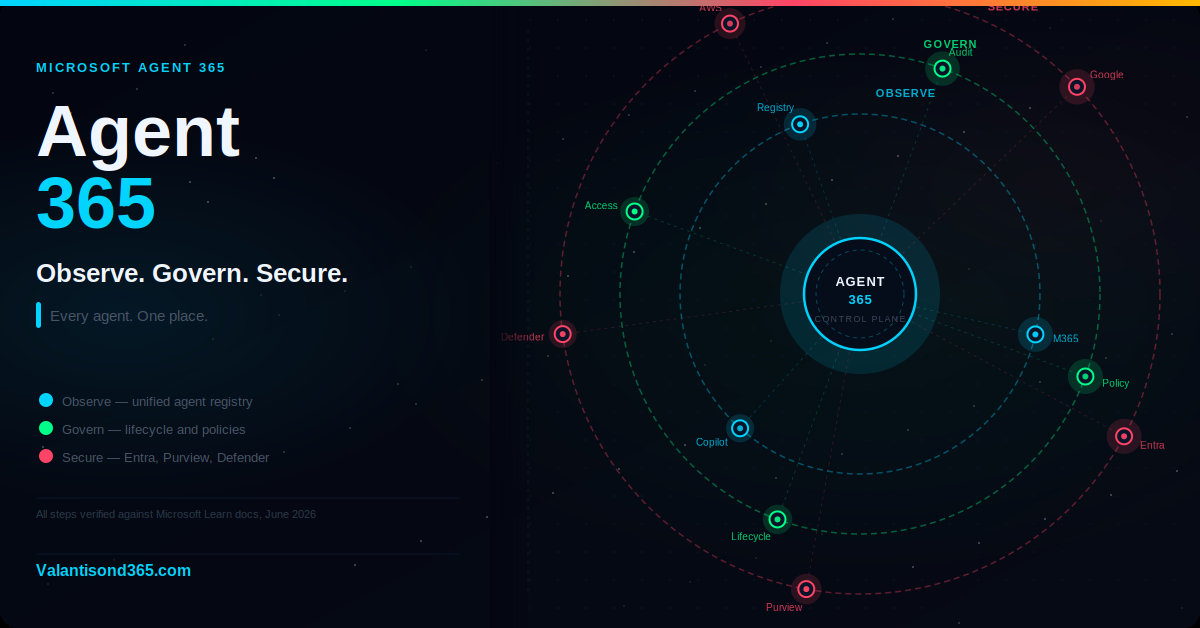
What it is, what it does, how to get started, and why every organisation deploying AI agents needs it.
The problem Agent 365 solves
AI agents are spreading fast. Some were built by your IT team. Some were built by a maker in a department. Some came from a third-party vendor. Some are running on AWS or Google Cloud. And some are running on laptops across your organisation without anyone knowing they exist.
Each of those agents has access to data, can take actions, and produces outputs that users trust. But in most organisations there is no single place to see all of them, understand who owns them, check what they can access, or confirm that they are compliant with company policy.
That is the problem Microsoft Agent 365 was built to solve.
Audience: IT administrators, security teams, compliance leads, and consultants responsible for governing AI agents in a Microsoft 365 environment.
What Agent 365 is
Microsoft Agent 365 is the control plane for AI agents. It became generally available on May 1 2026 for commercial customers. It is a dedicated product, licensed separately on a per-user basis, and accessed through the Microsoft 365 admin center under Agents > Overview.
A control plane is the layer that gives administrators visibility and authority over a set of running systems. In the context of agents, that means: a registry of every agent in the tenant, governance controls across the full agent lifecycle, and enterprise-grade security powered by Microsoft Entra, Microsoft Purview, and Microsoft Defender.
The three pillars of Agent 365 map directly to the three questions every IT admin should be asking about agents in their environment:
- Observe: what agents do we have, who built them, and how are they being used?
- Govern: are the right policies in place, and is the lifecycle managed?
- Secure: are agents protected against identity threats, data leakage, and runtime attacks?
| Confirmed as: documented behaviour. “Microsoft Agent 365 provides the ability to observe, govern, and secure the growing number of agents within organizations.” Generally available for commercial customers as of May 1 2026. Source: Reference 1. |
Pillar 1: Observe
The Observe pillar gives you real-time visibility into your agent environment. Before Agent 365, this visibility did not exist in a single place. You might see Copilot Studio agents in the Power Platform admin center and Microsoft-published agents in the Integrated Apps section of the M365 admin center, but there was no unified view.
The agent registry
The registry is a centralised list of every agent in your tenant. Each entry includes the agent name, publisher, platform it was built on, ownership, deployment status, permissions from the Microsoft Graph, data and tool access, security and compliance details, usage activity, and certifications.
This is not a static list. The registry updates in real time and gives IT and security teams a complete record without blind spots.
| Confirmed as: documented behaviour. “Each agent, including those built by Microsoft, your organization, or ecosystem partners, is detailed with a complete record enriched with metadata.” Source: Reference 3. |
Multicloud registry sync
The registry does not stop at Microsoft. Agent 365 registry sync with AWS Bedrock and Google Gemini Enterprise Agent Platform is in public preview. Agents built on those platforms can be brought into the same inventory and governed with the same policies as your Microsoft agents.
For organisations running agents across multiple cloud platforms, this is the most significant capability Agent 365 introduces. It turns a fragmented multi-platform agent landscape into a single manageable inventory.
| Preview feature. Registry sync with AWS Bedrock and Google Gemini Enterprise Agent Platform is in public preview. Do not rely on it for production governance workflows until it reaches general availability. Source: Reference 2. |
The Agent Map
The Agent Map is a visual graph of your agent ecosystem. It organises agents by platform into clusters, shows how agents are connected to each other and to the resources they use, and surfaces agent counts so admins can quickly understand the scale and composition of their environment.
The map view helps IT and security teams move beyond static lists to spot patterns, understand how agents interact, and maintain visibility as the agent landscape grows.
Activity metrics
Every agent in the registry has activity metrics: usage sessions, engagement trends, and active users over the last 30 days. Admins can correlate activity with users and policy signals to assess unusual behaviour, exception alerts, or misconfigurations. Activity data is exportable for deeper analysis and reporting.
Shadow AI page (Frontier preview)
For organisations enrolled in the Microsoft Frontier program, Agent 365 includes a dedicated Shadow AI page in the Microsoft 365 admin center. This page surfaces agents running in the organisation that have not been formally registered or approved, including agents running on developer devices.
| Frontier preview only. The Shadow AI page is a Frontier program feature. It is not available for general production use. Source: Reference 2. |
Role-specific oversight
Agent 365 extends visibility beyond IT to the stakeholders who need it. Security teams see risk signals and threat data. Business owners see performance and adoption metrics. Compliance teams see policy status and audit readiness. Each role gets the view relevant to their function without needing administrative privileges.
Pillar 2: Govern
The Govern pillar centralises the full agent lifecycle: from onboarding through operation to retirement. It addresses the three governance challenges organisations face most often: how to apply consistent policies across all agents regardless of where they were built, how to balance maker freedom with IT oversight, and how to find and retire ownerless or low-value agents before they create risk.
Bring agents under control from day one
Agents are onboarded through a single IT-controlled flow in the Microsoft 365 admin center. Policy templates apply to every agent at onboarding, covering governance and compliance requirements before the agent goes live. This prevents agents from entering production outside the governance framework.
Control what agents can access and do
Agent 365 enforces least privilege access. Admins control which users can interact with each agent, which data sources the agent can access, and which tools and other agents it can invoke. Access is scoped to what the agent actually needs, not what the platform defaults to.
Automate ongoing governance
Rules-based lifecycle management automatically flags ownerless agents, blocks risky agents, and enforces policy decisions at scale. This is the difference between governance as a manual review process and governance as a running programme. Agents that change behaviour, lose their owner, or fall out of compliance are surfaced automatically without requiring an admin to audit the full inventory manually.
Stay audit-ready
Agent 365 maintains visibility into how agents are used and how they perform. Built-in compliance and data retention details mean organisations can answer regulatory questions about agent behaviour without reconstructing audit trails after the fact.
| Confirmed as: documented behaviour. All four governance capabilities are listed in the Agent management overview documentation for the Microsoft 365 admin center. Source: Reference 4. |
Pillar 3: Secure
The Secure pillar extends Microsoft’s enterprise security stack to AI agents. Three products provide this protection, and each addresses a different layer of agent risk.
Microsoft Entra: identity for agents
Every agent governed by Agent 365 gets a Microsoft Entra Agent ID. This is the same identity framework used for human users, extended to agents. Entra enforces risk-based Conditional Access for agents and controls what each agent can authenticate to and on whose behalf it can act.
This matters because agents that act on behalf of users can potentially access any resource that user can access. Without an agent identity, there is no way to apply access policies at the agent level rather than just at the user level.
Microsoft Purview: data protection and compliance
Agent interactions are covered by Microsoft Purview data protection policies. Information protection, DLP, and audit capabilities apply to agent activity. Compliance managers can use Purview to investigate agent interactions, apply retention policies to agent-generated content, and detect data risks in agent prompts and responses.
Microsoft Defender: runtime threat protection
Microsoft Defender adds real-time threat detection during agent execution. It detects and blocks unsafe behaviours, prompt injection attacks, and malicious activity at runtime. Starting in June 2026, Defender also provides asset context mapping for each agent: the devices it runs on, the MCP servers configured for it, the identities associated with it, and the cloud resources those identities can reach.
| Confirmed as: documented behaviour. “Microsoft Agent 365 delivers end-to-end protection for every agent by extending Microsoft’s enterprise-grade identity, data, and threat-defence capabilities across your AI ecosystem.” Source: Reference 1. |
How to get started
Admin path
Microsoft 365 admin center > Agents > Overview
Prerequisites
- Your organisation has a Microsoft 365 subscription and licences for either Microsoft 365 Copilot or Microsoft Agent 365 capabilities.
- Users who create, publish, or use agents have the appropriate licences assigned.
- You are assigned an administrator role that includes permissions to manage settings for Microsoft 365 Copilot or Microsoft Agent 365 in the admin center.
Licensing
Agent 365 is licensed per user and is separate from Microsoft 365 Copilot and Copilot Studio licences. Having either of those products does not automatically include Agent 365.
Microsoft E5 is the documented prerequisite for the full Agent 365 feature set. At minimum, Entra ID P1 is required for Conditional Access for agents. Microsoft recommends E5 for the complete experience.
Microsoft 365 E7 is a bundle that includes Microsoft 365 E5, Microsoft 365 Copilot, and Agent 365 in a single licence. If your organisation is evaluating all three products together, E7 is worth reviewing against your existing agreements.
| Confirm your entitlement before planning rollout. Agent 365 requires its own licence. The per-user billing model means a broad deployment requires a deliberate licensing decision. Check your current agreements and confirm entitlement before planning any features that depend on Agent 365. Source: Reference 1. |
Getting started by role
IT administrators
Start in the Microsoft 365 admin center at Agents > Overview. Open the agent registry and check whether the list of agents matches what your organisation believes it has deployed. In most organisations it does not. Use the registry to identify unregistered agents, confirm ownership of every deployed agent, and apply policy templates to agents that do not have them.
Security professionals
Start with the Security analytics view in Agent 365. Review Defender threat data for any runtime blocks or anomalous agent behaviour. Check that each agent has an Entra Agent ID and that Conditional Access policies are applied. Use Purview to confirm DLP policies cover agent interactions.
Agent developers and makers
Agents built with Microsoft Copilot Studio automatically appear in the Agent 365 registry. They receive an Entra Agent ID and inherit the tenant’s governance policies at the point they are published. Developers building custom agents on other platforms can register them manually through the Agent 365 developer onboarding flow.
Validate
- Sign in to the Microsoft 365 admin center at https://admin.microsoft.com.
- In the left navigation, select Agents.
- Select Overview.
- Review the agent registry. Confirm agents from Microsoft AI platforms, Copilot Studio, and any partner agents appear in the list.
- Check the activity metrics for the last 30 days.
- Review the actionable insights section for governance gaps flagged by Agent 365.
- Open the Agent Map and confirm the visual graph of your agent ecosystem is populated.
| Expected result: The Agents > Overview page shows a populated registry with agent metadata, activity metrics, and governance status. The Agent Map shows agent clusters by platform. Any ownerless agents or policy gaps appear in the actionable insights section. |
Lessons Learned
These observations come from reviewing the Agent 365 documentation at general availability.
- Open the registry before you do anything else. The first thing most organisations discover when they enable Agent 365 is that the registry contains agents they did not know were there. Unknown agents are ungoverned agents. The registry is the foundation for everything else.
- Ownerless agents are the most immediate risk. An agent built by someone who has since left or changed roles has no accountability. Agent 365’s automated lifecycle governance flags these automatically, but a human decision is still needed to either assign a new owner or retire the agent. Build a regular review of ownerless agents into your operations cadence.
- Least privilege is harder with agents than with users. A user who has too much access creates a compliance risk. An agent with too much access creates that same risk at automation scale and at the speed of a machine. Review each agent’s permissions against what it actually needs to do its job and reduce scope wherever possible.
- The multicloud registry is a public preview. Do not build production governance workflows that depend on AWS or Google agent registry sync until it reaches general availability. Use the preview period to understand what you have in those environments and plan the governance approach.
- E7 simplifies the buying decision for full-stack organisations. If your organisation is planning to deploy M365 Copilot, Copilot Studio agents, and Agent 365 together, the E7 bundle is worth evaluating as a single commercial decision rather than three separate ones.
References
All links verified June 2026.
1. Microsoft Agent 365 overview Three-pillar overview (Observe, Govern, Secure), GA date, prerequisite of E5, per-user licensing model, and the role of Entra, Purview, and Defender.
https://learn.microsoft.com/en-us/microsoft-agent-365/overview
2. Microsoft Agent 365, now generally available, expands capabilities and integrations Official Microsoft Security Blog GA announcement. Confirms multicloud registry sync (AWS Bedrock, Google Gemini) in public preview, Shadow AI page in Frontier preview, and Defender asset context mapping in June 2026.
3. What’s New in Agent 365: May 2026 Official Microsoft Tech Community blog post. Documents the agent registry metadata fields, Agent Map view, activity metrics, and exportable data.
4. Agent management in Microsoft 365 admin center Full documentation for the Agents workload. Covers the four governance capabilities, prerequisites, admin path, and the role of Agent 365 as the grounding control plane.
https://learn.microsoft.com/en-us/microsoft-365/admin/manage/agent-365-overview
5. Get started with Microsoft Agent 365 Role-specific getting started guidance for IT admins, security professionals, and agent developers. Documents Entra Agent ID and the Copilot Studio automatic integration.
https://learn.microsoft.com/en-us/microsoft-agent-365/get-started