Post 4 : Knowledge Sources and Authoring Decisions That Create Risk
Governing what agents are built with, not just who can build them
TL;DR
- Admin controls decide who can build agents and which connectors they can use. Authoring decisions decide what those agents actually expose. Both layers need governance.
- Every knowledge source type carries a different risk profile. SharePoint respects user permissions. Uploaded files do not refresh and bypass source permissions. Public websites bring unverified external content into responses.
- Tool authentication at authoring time decides whether an agent runs as the user or as the maker. Agent author authentication with a broad-permission maker account is the most common authoring mistake in review sessions.
- Generative orchestration decides which knowledge sources and tools the agent combines per query. Review it per agent, not per tenant.
Why authoring governance is a separate problem
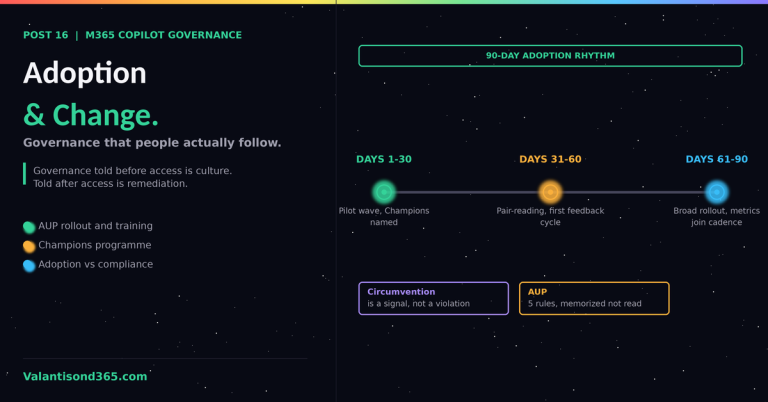
CS Posts 1 to 3 in this series cover the admin layer: data policies, environment routing, protection status, audit, and encryption. All of those controls are configured by admins and enforced by the platform. None of them prevent a maker from making a bad authoring decision inside an allowed boundary.
A maker can stay fully compliant with every data policy and still build an agent that summarizes an HR document library to the wrong audience, because the authoring decision (which knowledge source, which authentication mode, which audience) was never reviewed. That is the gap this post covers.
Knowledge source types and their risk profiles
Copilot Studio supports several knowledge source types. Each behaves differently with respect to permissions, freshness, and data boundary. The differences matter.
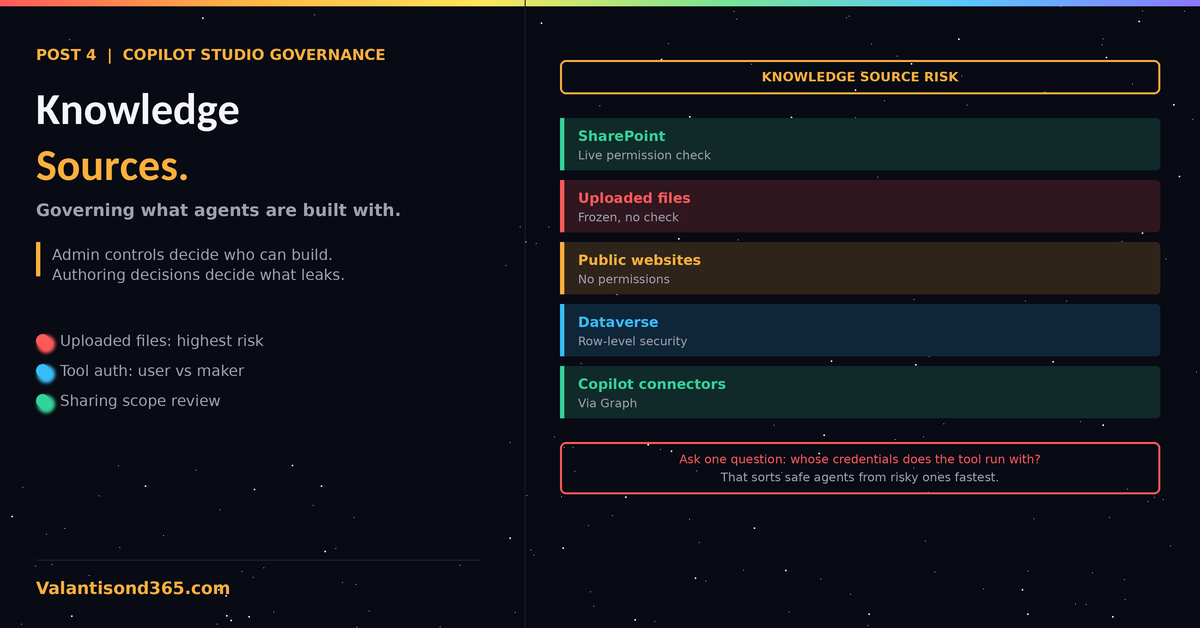
| Knowledge source | Permission behavior | Governance concern |
| SharePoint | Respects the permissions of the authenticated user at query time. | Requires Entra ID authentication on the agent. Oversharing on the source site becomes agent oversharing. |
| Uploaded files | Copied into Dataverse. Source permissions do not apply after upload. | Content is frozen at upload time and visible to every agent user regardless of original file permissions. |
| Public websites | No permissions. Content fetched from the open web. | Unverified external content can enter responses. Domain allow-listing is an authoring decision. |
| Dataverse | Respects Dataverse security roles when user authentication is configured. | Row-level security must be verified in the target environment, not assumed. |
| Copilot connectors (Graph) | Respects source permissions via Graph. | Guest users cannot access AI-generated answers from SharePoint and Microsoft Copilot connector (formerly Graph connector) data in SSO-enabled apps. Documented limitation. |
| The uploaded files trap. Uploaded files are the fastest knowledge source to configure and the easiest to get wrong. The file is copied out of its original location, its permissions no longer apply, and it never refreshes. A payroll summary uploaded “just for testing” is readable by every user the agent is shared with, indefinitely, regardless of whether the source file’s permissions later change. Note the real distinction: for knowledge added through the SharePoint or OneDrive upload options, Microsoft Copilot Studio checks the querying user’s permissions against the source at response time, so a user who loses access to the source file loses access to it through the agent too. Locally uploaded documents carry no such check; anyone with access to the agent can read them, permanently. Content freshness is a separate problem from permissions: none of these knowledge source types refresh automatically when the source content changes, so an outdated answer is possible regardless of which upload method was used, and a manual refresh in Copilot Studio is currently required to pick up changes. Review every locally uploaded file in every agent moving beyond personal use. Source: Reference 2, Reference 7. |
Tool and connector authentication at authoring time
When a maker adds a tool to an agent, Copilot Studio asks a question with major governance consequences: does this tool run with the credentials of the end user, or with credentials supplied by the maker?
User authentication
The tool runs as the person chatting with the agent. Data access is limited to what that person can access. Users are prompted to sign in as soon as the conversation begins, not only when it reaches the tool itself. This is the correct choice whenever the tool retrieves data that only some users should see. Source: Reference 4.
Agent author authentication
The tool runs with credentials the maker supplied. Every user of the agent gets the same data access, which is the access of the maker. Microsoft documents this as appropriate for implicit or low-risk access, such as looking up a support phone number or fetching a public weather forecast. Source: Reference 4.
| The most common authoring mistake. A maker with broad SharePoint access configures a tool with agent author authentication because it removes the sign-in prompt and makes the demo smoother. Every agent user now queries with the maker’s access. In review sessions this is the single most frequent finding. The fix is a standing rule: agent author authentication requires a justification comment in the agent description, and any tool touching business data defaults to user authentication. |
Agent authentication and audience
The agent-level authentication option constrains everything else. As of June 2026 the documented behavior is:
- Authenticate with Microsoft: Teams channel only, user always signed in, audience controlled through agent sharing. The default for new agents.
- Authenticate manually with Entra ID: works on more channels. With Require users to sign in turned on, agent sharing controls who can chat. This is the configuration that supports both governance and channel flexibility.
- No authentication: anyone with the link can chat. Block this at the tenant level through the data policy covered in CS Post 1 rather than relying on maker discipline.
When an agent’s authentication setting does not allow controlling who can chat, Copilot Studio warns the maker at share time that anyone can chat with the agent. That warning is informational, not a block. Source: Reference 3.
Sharing scope as an authoring decision
Makers can share an agent for chat with individuals, with security groups, or with everyone in the organization. Sharing with Microsoft 365 groups whose SecurityEnabled flag is false is not supported.
Admins can constrain maker sharing through sharing limits configured as a Managed Environments control in the Power Platform admin center, at individual environment level or at scale through environment groups and rules. Source: Reference 3, Reference 5.
| Sharing rules are enforced at share time. They do not retroactively remove access from users who already had it before the rule was applied. If an agent falls out of compliance after rules change, sharing is blocked until it complies again. Plan sharing limits before the first wave of agents, not after. |
Authoring review checklist
For any agent moving beyond personal, single-user experimentation into team or organization-wide use, review these five authoring decisions before approval:
- Knowledge sources: list every source. For uploaded files, confirm the content is appropriate for the full sharing audience.
- Tool authentication: every tool touching business data uses user authentication, or has a documented justification for agent author authentication.
- Agent authentication: Entra ID with Require users to sign in for anything beyond personal use.
- Sharing scope: matches the intended audience, uses security groups rather than individual sprawl.
- Generative orchestration: review which sources and tools the agent can combine, because orchestration decides what gets pulled into a single answer.
Lessons Learned
- Admin controls and authoring decisions are two different review layers. Passing one says nothing about the other.
- Uploaded files are the highest-risk knowledge source because they detach content from its permissions. Treat every upload as a publication decision.
- Ask one question in every agent review: whose credentials does each tool run with? The answer sorts safe agents from risky ones faster than any other check.