Post 3: Audit, Monitoring, and Encryption for Copilot Studio
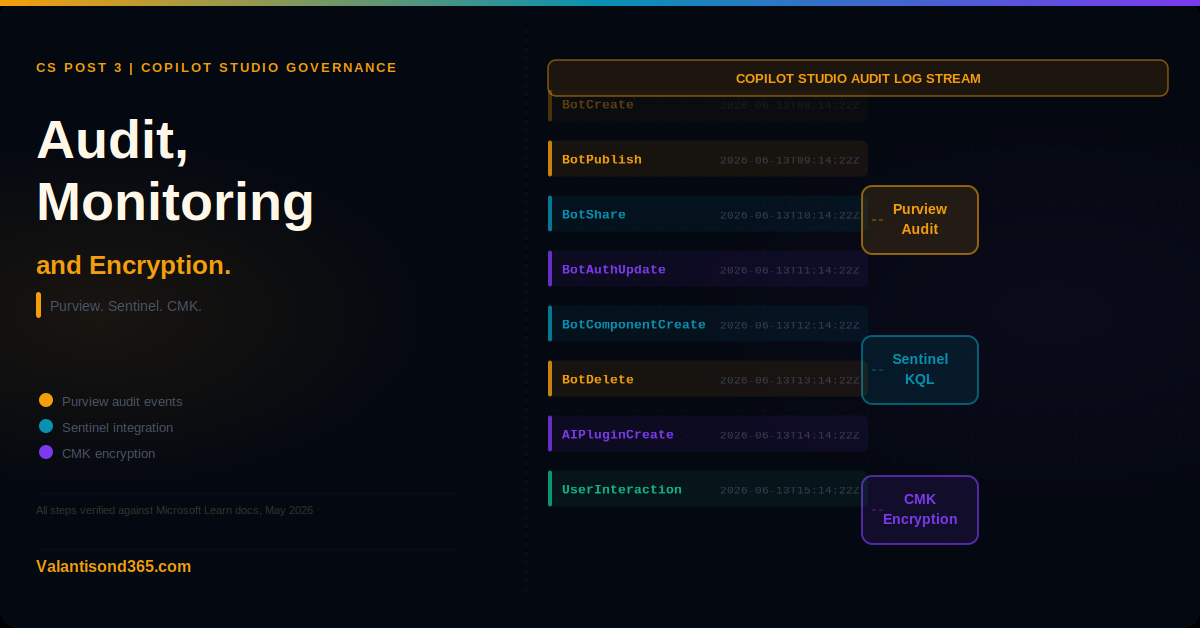
How to audit Copilot Studio activities in Microsoft Purview, forward logs to Microsoft Sentinel, and configure customer-managed encryption keys.
Why this post matters
Posts 1 and 2 covered the controls that prevent problems: data policies, environment routing, authentication, and protection status. This post covers what you do when something has already happened or when you need to prove what happened. Audit logs, Sentinel integration, and encryption are the operational and compliance layer of Copilot Studio governance.
In large enterprises, these controls are often owned by a different team from the Power Platform admins who configured Posts 1 and 2. Security operations and compliance teams need to know what Copilot Studio logs, where those logs go, and how to search them.
Note: the Microsoft Purview audit logs and the Microsoft Sentinel integration for Copilot Studio are documented on the same Microsoft Learn page. The Sentinel integration is covered in a separate section of that page. Both are covered here with precise references to which section each claim comes from.
Audience: Compliance administrators, security operations teams, and Power Platform administrators responsible for ongoing Copilot Studio governance.
TL;DR
- Admin path for Purview audit: Microsoft Purview portal > Solutions > Audit. Filter by Copilot Studio activities in the Activities list.
- Administrative activities in Copilot Studio are enabled by default on all tenants and cannot be disabled.
- You can disable audit logging in Purview and use retention policies to prevent the retention of user message text and response text.
- Copilot Studio logs two categories of events: agent authoring events (admin actions such as creating, publishing, and deleting agents) and agent usage events (user interactions with agents).
- Sentinel integration is available. Copilot Studio audit logs accessible via the Office 365 Management API can be forwarded to Sentinel via the Microsoft 365 connector.
- CMK is supported for Copilot Studio environments. It uses the standard Power Platform CMK implementation. Managed Environments only.
- CMK activation can take up to 48 hours. Copilot Studio services are unavailable during activation.
- CMK does not apply to agents built in Microsoft 365 Copilot because they are not tied to an environment.
Copilot Studio Audit Logs in Microsoft Purview
What is logged
Copilot Studio logs two categories of events in the unified audit log:
Agent authoring events
These are administrative and maker actions taken in Copilot Studio itself. They include:
- BotCreate: a new agent is created.
- BotDelete: an agent is deleted.
- BotUpdateOperation-BotPublish: an agent is published.
- BotUpdateOperation-BotShare: an agent is shared with other users.
- BotUpdateOperation-BotAuthUpdate: the authentication settings of an agent are updated.
- BotUpdateOperation-BotNameUpdate: the agent’s name is updated.
- BotComponentCreate, BotComponentUpdate, BotComponentDelete: a component such as a topic or skill is created, updated, or deleted.
- AIPluginOperationCreate: an AI plugin is created for an agent.
These events are logged at the SDK layer. A single action can trigger multiple logged events.
Agent usage events
These are events generated by user interactions with agents. They cover what users said to agents, what the agents did, and what resources were accessed. Compliance managers can use DSPM for AI to view chat transcripts for these events.
| Confirmed as: documented behaviour. “Administrative activities for Copilot Studio are enabled by default on all tenants. You can’t disable activity collection.” Source: Reference 1. |
Admin path
Microsoft Purview portal > Solutions > Audit
Select Audit from the Solutions section. In the search interface, filter by Activities to find Copilot Studio-specific events. The events are grouped under the Copilot Studio category in the Activities list.
Prerequisites
- Users must have an assigned Microsoft 365 licence for Copilot Studio to record audit events and save transcripts.
- FedRAMP tenants cannot access Copilot Studio audit logs in Purview. This is a documented limitation.
Disabling message text retention
You cannot disable audit log collection for administrative activities. However, if you do not want user message text and response text retained in the audit log, you can disable audit logging in Purview and use retention policies instead. This is an all-or-nothing trade-off: disabling audit logging removes all log retention including the administrative events, not just the message content.
| Think carefully before disabling audit logging.Disabling audit logging in Purview removes your ability to investigate agent activity after the fact. Administrative events including agent creation, deletion, publishing, and authentication changes will no longer be retained. Source: Reference 1. |
Microsoft Sentinel Integration
Copilot Studio audit logs are accessible via the Office 365 Management API. Because Sentinel can ingest data from this API through the Microsoft 365 connector, Copilot Studio activity logs can be forwarded to Sentinel for more advanced correlation, alerting, and investigation workflows.
The Sentinel integration is not a dedicated Copilot Studio connector. It uses the existing Microsoft 365 data connector in Sentinel, which pulls from the Office 365 Management API. Copilot Studio events appear alongside other Microsoft 365 audit events in the Sentinel workspace.
| Confirmed as: documented behaviour. Copilot Studio audit logs are “also accessible to developers via the Office 365 Management API.” The Sentinel integration uses this API as its source. Source: Reference 1. |
Setting up Sentinel ingestion for Copilot Studio logs
- In the Microsoft Sentinel workspace, go to Content hub and search for Microsoft 365.
- Install the Microsoft 365 solution if not already present.
- Go to Data connectors and open the Microsoft 365 connector.
- In the connector configuration, enable the data types that include audit log data.
- Once active, Copilot Studio events from the Office 365 Management API will flow into your Sentinel workspace.
- Use KQL queries in Sentinel to filter for Copilot Studio-specific events by filtering on the RecordType or Operation field values that correspond to Copilot Studio activities.
| Sentinel does not replace Purview audit.Forwarding logs to Sentinel is additive. Use Purview for direct compliance queries and Sentinel for security correlation and investigation workflows that need to combine Copilot Studio events with signals from other sources. Source: Reference 1. |
Customer-Managed Encryption Keys (CMK)
What CMK does
By default, all Copilot Studio data is encrypted at rest using Microsoft-managed encryption keys. CMK lets you bring your own encryption key stored in Azure Key Vault. You control the key, which means you can rotate it, revoke it, or delete it. If you revoke the key, Microsoft can no longer access the encrypted data.
CMK for Copilot Studio uses the standard Power Platform CMK implementation. You do not need to configure anything specific to Copilot Studio beyond enabling CMK in Power Platform for the relevant environment.
| Confirmed as: documented behaviour. “Copilot Studio supports CMK, which lets customers control access to their data within Copilot Studio. We support the standard Power Platform implementation, and customers don’t need to do anything specific to enable CMK for Copilot Studio.” Source: Reference 2. |
What CMK covers in Copilot Studio
When CMK is enabled for a Copilot Studio environment, the following data is encrypted using the customer’s key:
- All data in agent definitions.
- Published snapshots of agent definitions.
- Agent telemetry.
- Agent user conversations.
CMK does not apply to agents built in Microsoft 365 Copilot because those agents are not tied to an environment. The CMK configuration also does not encrypt data sent out from Copilot Studio as part of Agent 365 security audit logging. If your data residency or encryption requirements extend to security audit data, confirm whether Agent 365 audit logging meets those requirements before treating CMK as the complete encryption answer for your Copilot Studio environment. Source: Reference 2.
| Confirmed as: documented limitation. “CMK doesn’t apply to agents built in Microsoft 365 Copilot, because they’re not tied to an environment.” Source: Reference 2. |
Prerequisites and constraints
- CMK in Power Platform requires Managed Environments. Standard environments do not support CMK.
- CMK activation can take up to 48 hours to complete. Copilot Studio services in that environment are unavailable during the activation period.
- Data in environments that had CMK enabled before April 7 2025 continues to use Microsoft-managed keys for historical data. To bring that historical data under CMK, turn off CMK and turn it on again.
- Microsoft recommends testing CMK in a new test environment, not in an environment with live customer traffic.
| Plan the 48-hour unavailability window.When you enable CMK on a Copilot Studio environment, the environment is unavailable for up to 48 hours. Schedule CMK activation during a planned maintenance period and communicate the downtime to affected users in advance. Source: Reference 2. |
Validate
Check 1: Copilot Studio events appear in Purview Audit
- Sign in to the Microsoft Purview portal.
- Go to Solutions > Audit.
- Set a date range covering recent activity.
- In the Activities field, search for Copilot Studio events such as BotCreate or BotPublish.
- Run the search and confirm results appear.
- Open a record and review the event details.
| Expected result:Copilot Studio administrative events appear in the audit log. Records contain the event type, user, date, and relevant details about the action taken. |
Check 2: The environment is encrypted with CMK
- In the Power Platform admin center, select Security in the navigation pane.
- Under Settings, select Data and privacy, then select Customer-managed encryption key to open the Enterprise Policies page.
- Select the policy, select Edit policy, and review the Encryption status of the environment in the Environments with this policy section.
| Expected result:The Encryption status shows Encrypted. During activation it shows Encrypting, then Encrypting – online. Alternatively, confirm via Manage > Environments > select the environment > History, where the Update Customer Managed Key operation shows Succeeded. |
Troubleshooting
| Symptom | Most likely cause | Fix |
| Copilot Studio events do not appear in Purview Audit search results. | The user does not have a Microsoft 365 licence assigned, the tenant is FedRAMP, or the date range does not include the relevant activity. | Confirm the user has a Microsoft 365 licence. Confirm the tenant is not a FedRAMP tenant. Widen the date range and remove activity filters. Source: Reference 1. |
| Copilot Studio services are unavailable after CMK is enabled. | CMK activation is in progress. This can take up to 48 hours. | Wait for the activation to complete. Do not attempt to disable and re-enable CMK during activation. Source: Reference 2. |
| Sentinel is not receiving Copilot Studio events. | The Microsoft 365 data connector in Sentinel is not configured or the relevant data types are not enabled. | Check the Microsoft 365 connector configuration in Sentinel. Confirm the connector is connected and the data types covering audit log events are enabled. Source: Reference 1. |
| Historical Copilot Studio data is not encrypted with CMK after enabling it on an older environment. | Environments with CMK enabled before April 7 2025 continue to use Microsoft-managed keys for historical data. | Turn off CMK and turn it on again to re-encrypt all existing data. Source: Reference 2. |
Lessons Learned
These come from working with Copilot Studio governance in enterprise tenants.
- Know what you cannot turn off before you try to turn it off. Administrative activity logging in Copilot Studio is always on and cannot be disabled. The only lever is whether user message text is retained, and changing that requires disabling audit logging entirely.
- Sentinel is useful for correlation, not for replacing Purview. Forwarding Copilot Studio events to Sentinel is valuable when you need to correlate agent activity with other signals across multiple services. For a standalone compliance query about who published an agent or changed its authentication, Purview Audit is faster.
- CMK is an enterprise control with operational costs. The 48-hour activation window, the Managed Environments requirement, the impact on agents built in Microsoft 365 Copilot, and the risk of accidental key revocation locking out your own data are all operational considerations. Test in a non-production environment first and have a key recovery plan before enabling CMK on production environments.
- Agent 365 audit logging is not covered by CMK. Security audit logs sent to Agent 365 are outside the CMK boundary. If your data residency or encryption requirements extend to security audit data, confirm whether Agent 365 audit logging meets those requirements before relying on CMK as the complete encryption answer for Copilot Studio.
References
All links verified August 2026.
1. Audit Copilot Studio activities in Microsoft Purview Documents all audited events for Copilot Studio including agent authoring and usage categories, the admin path to access logs, prerequisites, and how Sentinel integration works via the Office 365 Management API.
https://learn.microsoft.com/en-us/microsoft-copilot-studio/admin-logging-copilot-studio
2. Configure customer-managed encryption keys Documents CMK support for Copilot Studio, what data CMK covers, the 48-hour activation window, the Managed Environments requirement, and the April 2025 cutoff for historical data encryption.
https://learn.microsoft.com/en-us/microsoft-copilot-studio/admin-customer-managed-keys
3. Manage your customer-managed encryption key (Power Platform) The Power Platform CMK documentation. Copilot Studio uses this implementation. Required reading before enabling CMK for a Copilot Studio environment.
https://learn.microsoft.com/en-us/power-platform/admin/customer-managed-key