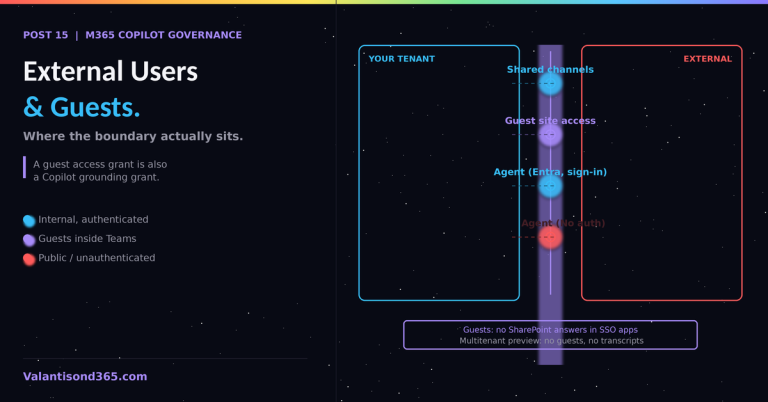
Post 15: Microsoft 365 Copilot Governance Series – External Users, Guests, and Copilot: Where the Boundary Actually Sits
AUP rollout, Champions, measurement, and handling circumvention
TL;DR
- Technical governance that users do not understand produces two outcomes: shadow usage or no usage. Both defeat the investment.
- The Acceptable Use Policy is a communication artifact, not a legal one. It works when every user can repeat its five rules from memory, which means it ships as training, not as a PDF attachment.
- Measure adoption and compliance together. Rising usage with rising DSPM sensitive-data hits is a training gap; flat usage with clean telemetry is a value gap. The response differs.
- Circumvention is a signal before it is a violation. Users route around controls that block legitimate work; the first response is to understand the blocked workflow, then decide.
Why this post exists
Everything else in this series configures the platform. None of it configures the people. End-user training covers what employees need to know; this post covers the consultant and IT-owner side: how to roll that knowledge out, how to measure whether it landed, and what to do when it did not.
Rolling out the Acceptable Use Policy
The five AUP rules from Post 12 (no highest-classification data in prompts, no sensitive raw data, review before external sharing, report suspicious outputs, no circumventing protections) only work if they arrive before access does. The sequence that holds up in practice:
- Access is granted after the user completes short, scenario-based training, not slideware read aloud, roughly two hours.
- The AUP is acknowledged explicitly, once, with a record. Not because the record deters, but because it establishes that the rules were known.
- The reporting path (who to contact when Copilot returns something unexpected) is on the last slide and in the intranet page, with a name, not a distribution list nobody reads.
| The DLP message moment. The first time a user’s prompt is blocked by a DLP policy (Post 9), they either understand it as protection working or experience it as the tool being broken. Training should cover this exact moment for that reason. Track helpdesk tickets about “Copilot is broken” in the first month; each one is a user who missed that slide. Note: Microsoft’s DLP control blocking Copilot from processing files and emails carrying sensitivity labels is generally available; the separate control that blocks a prompt outright for containing sensitive information types was still rolling out in preview as of mid-2026. Confirm the current status of both controls in your tenant before training users on either one. |
A Champions structure that carries governance
Champions programmes usually carry productivity tips. In a governed rollout, Champions carry two extra loads:
- They are the first escalation for “is this prompt okay” questions, which keeps low-grade uncertainty from becoming either helpdesk volume or silent risk-taking.
- They feed the governance owner a monthly signal: which controls are producing friction, which use cases users want that the current zone rules block.
- Sizing that works: one Champion per department or per 30 to 50 users, a monthly 30-minute sync with the governance owner, and early access to changes so they are never surprised by a control users ask them about.
Measuring adoption against compliance
The measurement stack is already licensed and configured if this series was followed; this is the reading guide:
| Signal | Source | What it tells you |
| Active Copilot usage per department | M365 admin center usage reports | Where value is landing and where training did not. |
| Sensitive-data interactions trend | DSPM for AI (Post 9) | Whether the prompt discipline from training holds. |
| DLP policy hits on prompts | Purview DLP alerts | Volume of blocked attempts; spikes localize training gaps. |
| Agent inventory growth and ownership | Agents section, M365 admin center (Post 13) | Whether maker energy flows through the governed path. |
| “Copilot returned something odd” reports | The reporting path itself | A healthy number is non-zero. Zero means the path is unknown, not that nothing happened. |
Read pairs, not single numbers. High usage with clean DSPM telemetry is the goal state. High usage with climbing sensitive-data hits means retrain, not restrict. Low usage with heavy DLP blocking means the controls are cutting into legitimate work and the zone rules need a review.
Handling circumvention
Circumvention shows up as personal accounts, consumer AI tools for work content, or prompts reworded to slip past sensitive information types. The response ladder that keeps trust intact:
- First instance, no data actually exposed: a conversation, not a process. Find out which legitimate workflow the control blocked. Feed it into the zone review.
- Pattern across users on the same control: that is a control design finding, not a user problem. Fix the workflow (an approved agent, an adjusted policy scope) and communicate the fix through the Champions.
- Deliberate circumvention with sensitive data involved: this is AUP rule five, the incident response workflow from Post 14 applies, and HR involvement follows the client’s own policy, not IT improvisation.
| Endpoint DLP (Post 9) can warn or block pasting sensitive content into consumer generative AI sites in the browser, which converts the most common circumvention route into a teachable prompt rather than an invisible leak. Where licensed, turn the warn mode on before the block mode; the warning text is a training surface. |
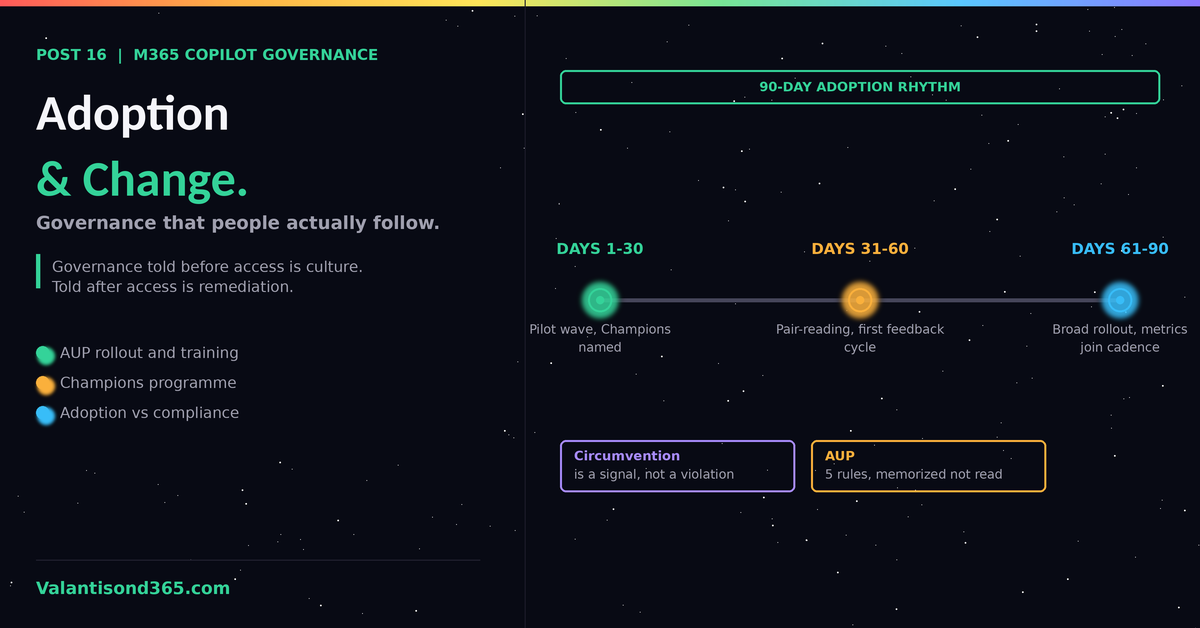
The 90-day adoption rhythm
- Days 1 to 30: training-gated access for the pilot wave, Champions named, baseline usage and DSPM readings taken.
- Days 31 to 60: first pair-reading of usage against compliance signals, first Champions feedback cycle, AUP adjustments if rule friction shows.
- Days 61 to 90: broad rollout using the corrected material, circumvention ladder communicated to managers, adoption metrics join the monthly governance cadence from Post 12 permanently.
Lessons Learned
- Governance communicated after access is remediation. Governance communicated before access is culture. The sequencing is the whole trick.
- The most honest adoption metric is whether users report odd outputs. It measures trust in the process, and trust is what every other control silently depends on.
- Treat every circumvention as a requirements document the user wrote under pressure. Most of them are.
References
- 1. Microsoft 365 Copilot adoption resources, Microsoft Adoption: adoption.microsoft.com/en-us/copilot/
- 2. Use Microsoft Purview to manage data security and compliance for Copilot (DSPM, DLP, endpoint DLP): learn.microsoft.com/en-us/purview/ai-m365-copilot
- 3. Configure a secure and governed foundation for Microsoft 365 Copilot: learn.microsoft.com/en-us/microsoft-365/copilot/configure-secure-governed-data-foundation-microsoft-365-copilot
- 4. Manage your Copilot Studio projects overview (COE and governance guidance):
- learn.microsoft.com/en-us/microsoft-copilot-studio/guidance/sec-gov-intro
- 5. Microsoft Purview DLP for Microsoft 365 Copilot and Copilot Chat: learn.microsoft.com/en-us/purview/dlp-microsoft365-copilot-location-learn-about